VSLAM: ORB-SLAM3#
This section shows how to install and run the ORB-SLAM3 Visual Simultaneous Localization and Mapping (VSLAM) pipeline using monocular, stereo, RGB-D, and visual-inertial inputs, with example demonstrations using datasets and Intel® RealSense™ cameras.
VSLAM uses one or more cameras, with optional IMU inputs, to sense the surrounding environment. ORB-SLAM3 is a real-time feature-based Simultaneous Localization and Mapping (SLAM) library that supports Visual, Visual-Inertial, and Multi-Map SLAM with monocular, stereo, and RGB-D cameras using pinhole and fisheye lens models.
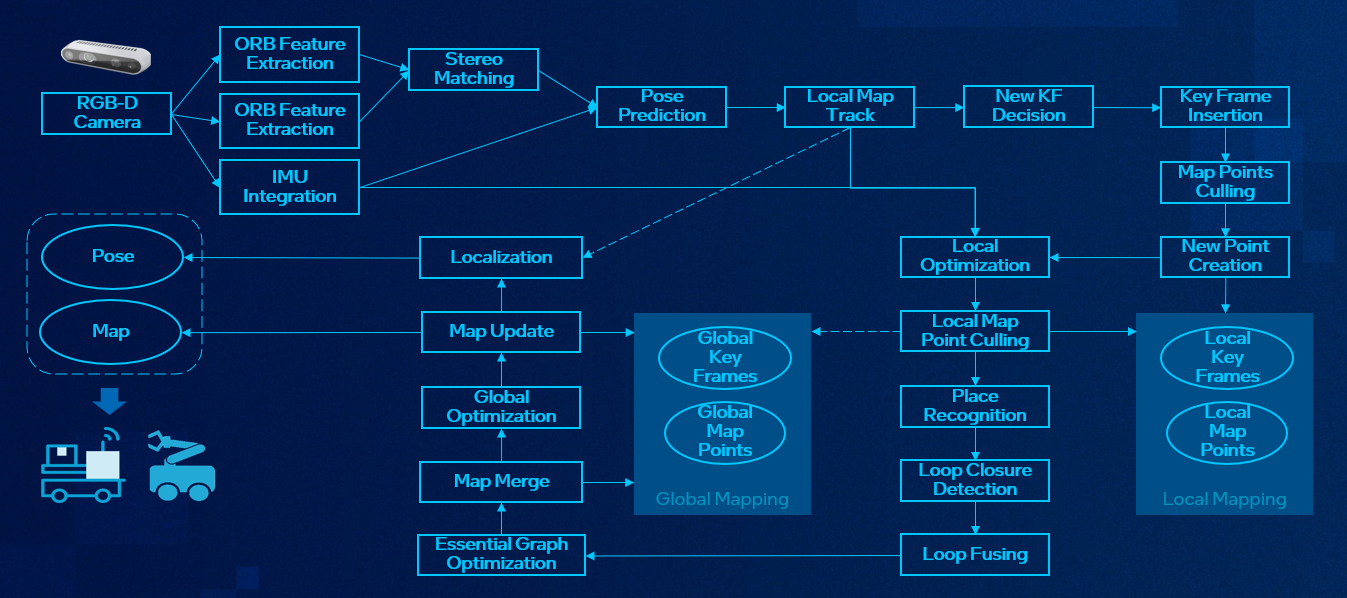
Source Code#
The source code of this component can be found here: ORB-SLAM3-Sample
Prerequisites#
Please make sure you have all the prerequisites and installation in Get Started before proceeding. Follow the RealSense camera guide to install the RealSense SDK.
Setup ECI APT Repository#
Open a terminal prompt which will be used to execute the remaining steps.
Download the ECI APT key to the system keyring:
sudo -E wget -O- https://eci.intel.com/repos/gpg-keys/GPG-PUB-KEY-INTEL-ECI.gpg | sudo tee /usr/share/keyrings/eci-archive-keyring.gpg > /dev/null
Add the signed entry to APT sources and configure the APT client to use the ECI APT repository:
echo "deb [signed-by=/usr/share/keyrings/eci-archive-keyring.gpg] https://eci.intel.com/repos/$(source /etc/os-release && echo $VERSION_CODENAME) isar main" | sudo tee /etc/apt/sources.list.d/eci.list
echo "deb-src [signed-by=/usr/share/keyrings/eci-archive-keyring.gpg] https://eci.intel.com/repos/$(source /etc/os-release && echo $VERSION_CODENAME) isar main" | sudo tee -a /etc/apt/sources.list.d/eci.list
Configure the ECI APT repository to have higher priority over other repositories and pin the version of the
libflannpackages:sudo bash -c 'echo -e "Package: *\nPin: origin eci.intel.com\nPin-Priority: 1000" > /etc/apt/preferences.d/isar' sudo bash -c 'echo -e "\nPackage: libflann*\nPin: version 1.19.*\nPin-Priority: -1\n\nPackage: flann*\nPin: version 1.19.*\nPin-Priority: -1" >> /etc/apt/preferences.d/isar'
Update the packages list:
sudo apt update
Installation#
Make sure the RealSense SDK is installed. If not, follow the RealSense camera guide to install the RealSense packages. Here is a minimal installation:
sudo apt install librealsense2
Install the ORB-SLAM3 packages with the following command:
sudo apt install orb-slam3
After installation, the VSLAM example programs are installed under folder /opt/intel/orb-slam3.
Note
The orb-slam3 Debian Package is compiled without -march=native flag by default to ensure compatibility and prevent potential segmentation faults. For enhanced performance, consider building locally with -march=native, which optimizes the code based on specific CPU architecture. The -march=native option is a compiler flag used with GCC and other compilers to optimize code for the specific architecture of the machine where the compilation occurs. However, it can potentially lead to unexpected behavior, especially when code is intended to run on different architectures.
VSLAM Demos#
Demo-1: Monocular Camera with Mono-Dataset#
This Demo uses EUROC dataset to test ORB-SLAM3 monocular mode.
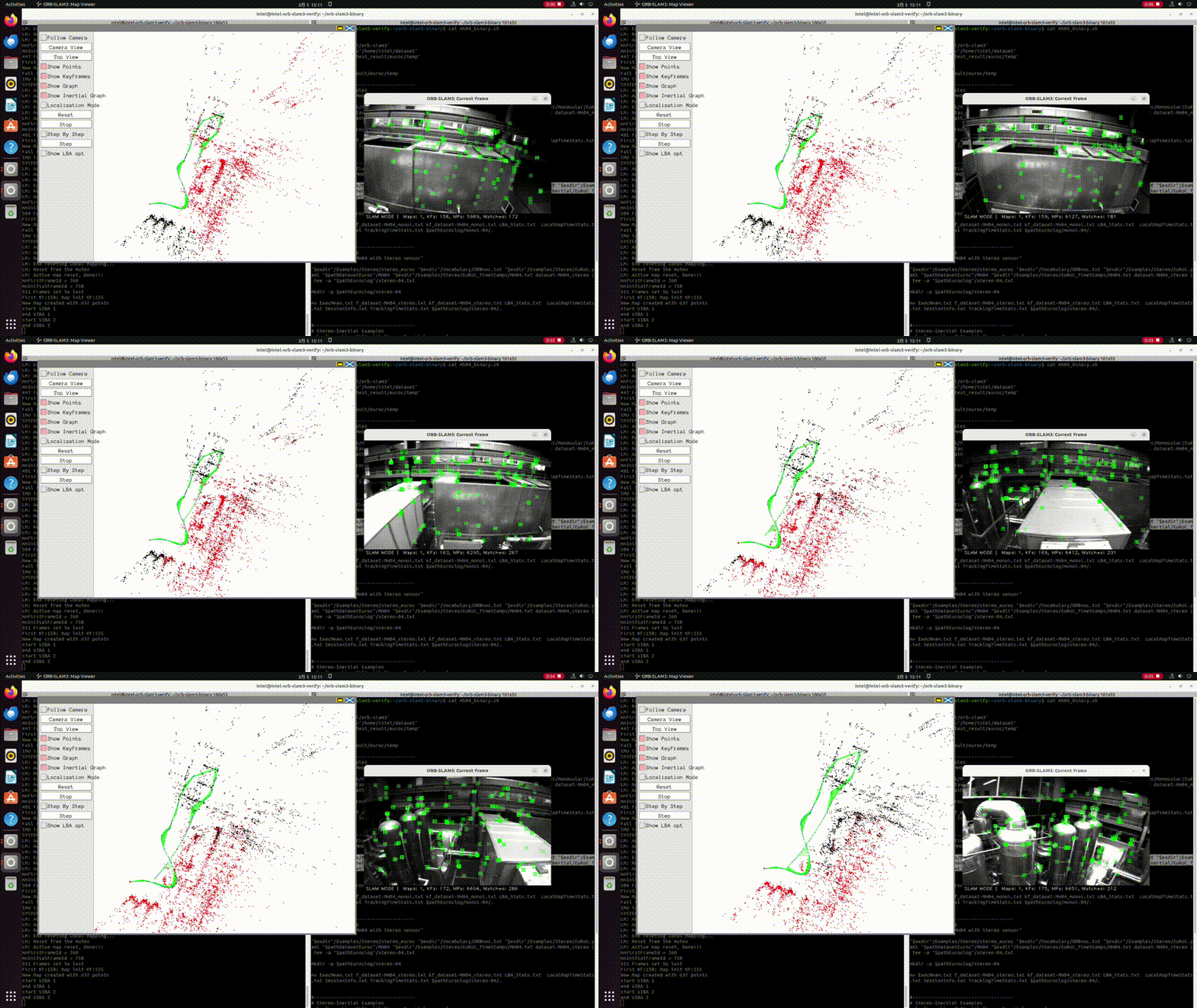
Download the EUROC MAV Dataset files
mkdir -p ~/orb-slam3/dataset
cd ~/orb-slam3/dataset
wget http://robotics.ethz.ch/~asl-datasets/ijrr_euroc_mav_dataset/machine_hall/MH_04_difficult/MH_04_difficult.zip
unzip MH_04_difficult.zip -d MH04
Note
This demo uses MH_04_difficult dataset. If you want to try other dataset, you may download them from the link: https://projects.asl.ethz.ch/datasets/doku.php?id=kmavvisualinertialdatasets.
Please download EUROC Machine Hall datasets from https://www.research-collection.ethz.ch/entities/researchdata/bcaf173e-5dac-484b-bc37-faf97a594f1f if there are any issues with the above links.
Launch ORB-SLAM3 Demo pipeline
Run the following commands in a bash terminal:
mkdir -p ~/orb-slam3/log
cd ~/orb-slam3/
/opt/intel/orb-slam3/Examples/Monocular/mono_euroc /opt/intel/orb-slam3/Vocabulary/ORBvoc.txt /opt/intel/orb-slam3/Examples/Monocular/EuRoC.yaml ~/orb-slam3/dataset/MH04/ /opt/intel/orb-slam3/Examples/Monocular/EuRoC_TimeStamps/MH04.txt  ~/orb-slam3/log/MH04_mono.txt
Note
If you use other datasets other than MH_04_difficult, you should make sure you update the command above with the correct name of dataset you use.
Demo-2: VSLAM Demo with RealSense Camera#
This Demo uses RealSense Camera as stereo inputs.
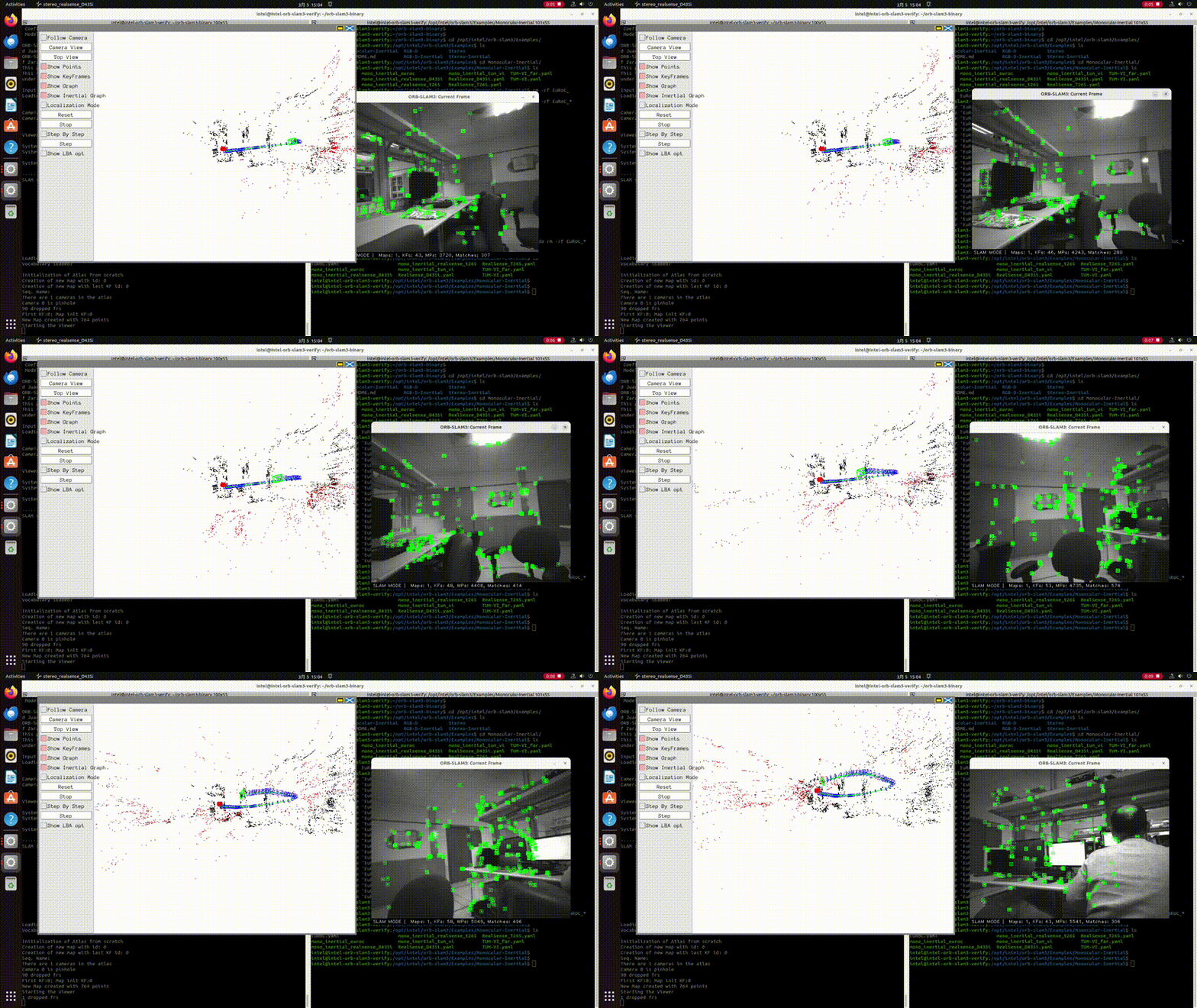
Connect a RealSense D435 or D435i Camera to the test machine
Launch ORB-SLAM3 Demo pipeline
Run the following command in a bash terminal:
/opt/intel/orb-slam3/Examples/Stereo/stereo_realsense_D435i /opt/intel/orb-slam3/Vocabulary/ORBvoc.txt /opt/intel/orb-slam3/Examples/Stereo/RealSense_D435i.yaml