Model Predictive Control Demo#
Model predictive control (MPC) is an advanced method of process control that is used to control a process while satisfying a set of constraints. Model predictive controllers rely on dynamic models of the process, most often linear empirical models obtained by system identification. The main advantage of MPC is the fact that it allows the current timeslot to be optimized, while keeping future timeslots in account. Also MPC has the ability to anticipate future events and can take control actions accordingly. These features can benefit current model-based robotics control in Perception-Action frequency gap, unsmoothness of generated trajectories, and potential collision.
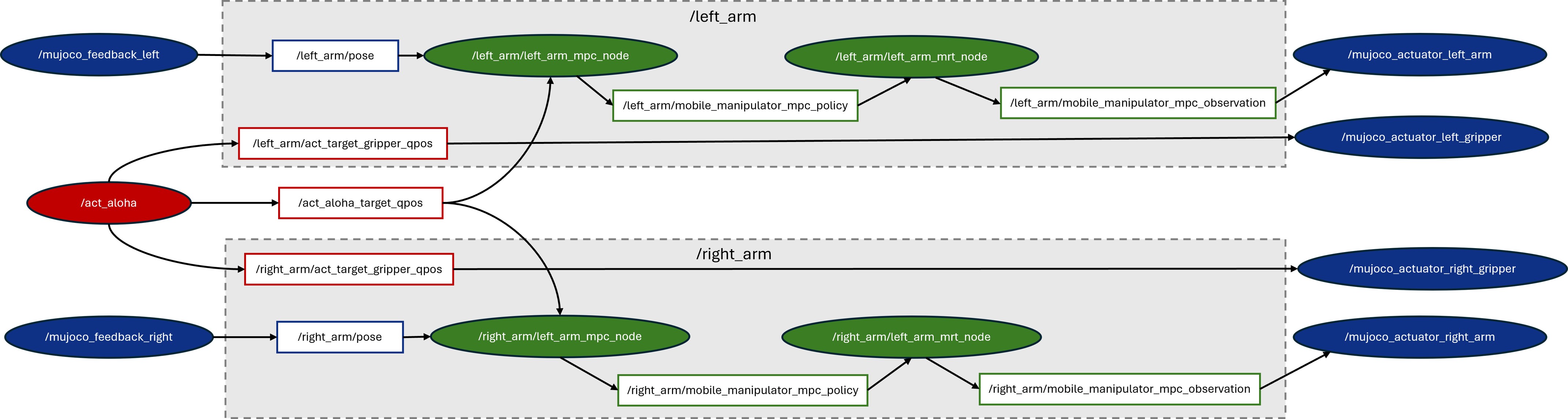
Here, we adopted an open-source MPC project named Optimal Control for Switched Systems (OCS2) and built a complete pipeline consisting of AI reference model(ACT), MPC(OCS2), and simulation(MUJOCO). The picture below shows the ROS node/topic graph of this demo with three modules: ACT AI model module (marked as red), OCS2 MPC optimization module (marked as green), and Mujoco simulation module (marked as blue).
Updates#
Sep, 2026: Added a ROS-free (non-ROS) MPC module. Compared with the original ROS version, the non-ROS module (Non-ROS MPC Module) drives the MPC/MRT control loop over the ECI shared-memory transport with a cumulative-tick scheduler, so it emits control signals at the configured target frequency far more stably.
Prerequisites#
Please make sure you have finished setup steps in Get Started.
ROS2 Jazzy Setup#
Please refer to the official ROS2 Jazzy installation. The target platform for this release is Ubuntu 24.04.
Note
This release is maintained for ROS2 Jazzy only. If you need ROS2 Humble, please switch to the 2026.1 release.
ACT Setup#
First, please follow the ACT installation guide in Imitation Learning - ACT except Install ACT package. Here, we need to install ACT source code by downloading act-sample, and initialize submodules and apply patches:
cd act-sample

# initialize submodules
git submodule init
git submodule update

# apply all patches
git apply ../patches/ov/0001-enable-openvino-inference-for-eval.patch
git apply ../patches/ov/0002-add-model-conversion-script.patch
git apply ../patches/ov/0003-changes-for-real-robot.patch
git apply ../patches/ov/0004-Modify-the-camera-mode-to-fixed.patch
git apply ../patches/ov/0005-Modify-the-default-cameras-config.patch
git apply ../patches/ov/0006-add-ros2-node-and-use-fixed-cube-pose.patch
OCS2 Setup#
Here, we adopted and modified the open-source project OCS2 as the MPC module. OCS2 is a C++ toolbox tailored for Optimal Control for Switched Systems (OCS2). It provides an efficient implementation of Continuous-time domain constrained DDP (SLQ) and many other helpful algorithms. To facilitate the application of OCS2 in robotic tasks, it provides the user with additional tools to set up the system dynamics (such as kinematic or dynamic models) and cost/constraints (such as self-collision avoidance and end-effector tracking) from a URDF model. You can go to OCS2 official web for more details.
The upstream OCS2 project already provides a ROS2 baseline, so the following two patches are provided to enable it on ACT Aloha:
Patch num |
Enhancement |
|---|---|
001 |
Add dual-arm ALOHA mobile manipulator for ACT+OCS2+MUJOCO |
002 |
Add non-ROS MPC (MPC-MRT) module and test pipeline |
Install OCS2#
Install dependencies:
# install basic libraries
sudo apt update
sudo apt-get install -y \
  build-essential cmake git \
  python3-colcon-common-extensions python3-rosdep \
  python3-dev pybind11-dev \
  libeigen3-dev libboost-all-dev libglpk-dev \
  libgmp-dev libmpfr-dev libcgal-dev libopencv-dev libpcl-dev \
  liburdfdom-dev \
  libglfw3 libglfw3-dev libosmesa6 freeglut3-dev mesa-common-dev \
  python3-pip python3-wstool wget

# install ROS 2 Jazzy libraries
sudo apt-get install -y \
  ros-jazzy-eigen3-cmake-module \
  ros-jazzy-hpp-fcl \
  ros-jazzy-grid-map \
  ros-jazzy-xacro \
  ros-jazzy-robot-state-publisher \
  ros-jazzy-joint-state-publisher \
  ros-jazzy-rviz2
On Jazzy,
rosdepresolvespinocchiotoros-jazzy-pinocchio, which is not released. Install Pinocchio (and coal) from OpenRobots robotpkg instead:sudo apt install -y curl ca-certificates gnupg lsb-release sudo install -d -m 0755 /etc/apt/keyrings curl -fsSL http://robotpkg.openrobots.org/packages/debian/robotpkg.asc | sudo tee /etc/apt/keyrings/robotpkg.asc >/dev/null echo "deb [arch=amd64 signed-by=/etc/apt/keyrings/robotpkg.asc] http://robotpkg.openrobots.org/packages/debian/pub $(. /etc/os-release && echo $VERSION_CODENAME) robotpkg" | sudo tee /etc/apt/sources.list.d/robotpkg.list >/dev/null sudo apt update sudo apt install -y robotpkg-pinocchio robotpkg-coal
Make sure CMake and the dynamic loader can find the robotpkg installs (add these to your shell rc to persist across terminals):
export CMAKE_PREFIX_PATH=/opt/openrobots:${CMAKE_PREFIX_PATH}
export LD_LIBRARY_PATH=/opt/openrobots/lib:${LD_LIBRARY_PATH}
Create workspace for ocs2 and ocs2_robotic_assets:
source /opt/ros/jazzy/setup.bash
mkdir -p ~/ocs2_ws/src
cd ~/ocs2_ws/src
Download ocs2 and ocs2_robotic_assets
Download ocs2 and ocs2_robotic_assets with
git clone --recursive. Then, initialize submodules and apply patches:cd ~/ocs2_ws/src/ocs2 ./install_ocs2_patches.sh patches/ocs2.scc
cd ~/ocs2_ws/src/ocs2_robotic_assets
./install_ocs2_robotic_assets_patches.sh patches/ocs2_robotic_assets.scc
Build ocs2 and ocs2_robotic_assets:
cd ~/ocs2_ws
# rosdep
rosdep update --rosdistro jazzy
rosdep install --from-paths src --ignore-src -r -y --skip-keys pinocchio

# build
source /opt/ros/jazzy/setup.bash
colcon build --packages-skip mujoco_ros_utils --cmake-args -DCMAKE_BUILD_TYPE=Release
MUJOCO Setup#
Here, we adopted and modified the open-source Mujoco Plugin project MujocoRosUtils to visualize and simulate the ACT cube transmitting task in Mujoco 2.3.7. Installation is as follows:
Download Mujoco 2.3.7 library:
wget https://github.com/deepmind/mujoco/releases/download/2.3.7/mujoco-2.3.7-linux-x86_64.tar.gz
mkdir ~/.mujoco
tar -zxvf mujoco-2.3.7-linux-x86_64.tar.gz -C ~/.mujoco/
rm -fr mujoco-2.3.7-linux-x86_64.tar.gz
Download MujocoRosUtils:
Download mujoco_ros_utils with
git clone --recursive. Then, initialize submodules and apply patches:cd ~/ocs2_ws/src/mujoco_ros_utils ./install_mujoco_ros_utils_patches.sh patches/mujoco_ros_utils.scc
Build MujocoRosUtils:
source /opt/ros/jazzy/setup.bash
source ~/ocs2_ws/install/setup.bash
cd ~/ocs2_ws
colcon build --packages-select mujoco_ros_utils --cmake-args -DCMAKE_BUILD_TYPE=RelWithDebInfo -DMUJOCO_ROOT_DIR=$HOME/.mujoco/mujoco-2.3.7
Run pipeline#
Open new terminal and run Mujoco:
source /opt/ros/jazzy/setup.bash
source ~/ocs2_ws/install/setup.bash
cd ~/.mujoco/mujoco-2.3.7/bin
./simulate [path to your MujocoRosUtils]/xml/bimanual_viperx_transfer_cube_dual_arm.xml
Note
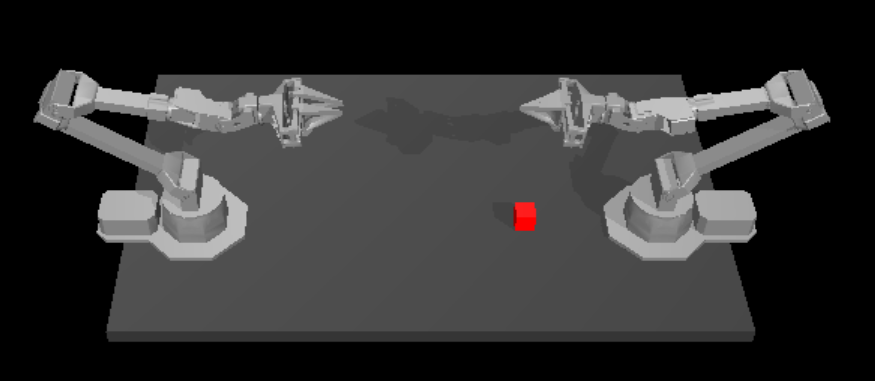
If running successfully, the mujoco UI will display two opposing ALOHA robotic arms. Collision in this stage is acceptable.
Note
If mujoco fails with unknown plugin, please check
lddand add lib path manually:# ldd check ldd ~/.mujoco/mujoco-2.3.7/bin/mujoco_plugin/libMujocoRosUtils*.so # add path export LD_LIBRARY_PATH=~/ocs2_ws/install/ocs2_msgs/lib:$LD_LIBRARY_PATH export LD_LIBRARY_PATH=~/.mujoco/mujoco-2.3.7/bin/mujoco_plugin:$LD_LIBRARY_PATH
Open new terminal and run OCS2:
source /opt/ros/jazzy/setup.bash
source ~/ocs2_ws/install/setup.bash
ros2 launch ocs2_mobile_manipulator_ros manipulator_aloha_dual_arm.launch.py
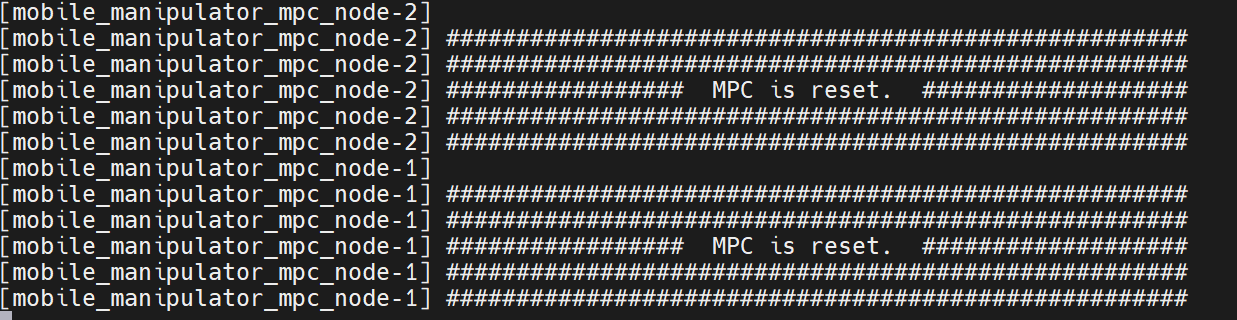
If launching successfully, the OCS2 terminal will print out information indicating that two MPC nodes have been successfully reset, and the Mujoco AI will be initialized, as shown in the figures below.
Open new terminal and run Act:
Note
You need to download our pre-trained ACT weights for transferring cube task and set the argument
--ckpt_dirto the path of the pre-trained weights.# env source /opt/ros/jazzy/setup.bash source ~/ocs2_ws/install/setup.bash source [path to your act venv]/bin/activate # run act-ov on GPU cd [your path to act] MUJOCO_GL=egl python3 imitate_episodes.py --task_name sim_transfer_cube_scripted --ckpt_dir [your path to checkpoints] --policy_class ACT --kl_weight 10 --chunk_size 100 --hidden_dim 512 --batch_size 8 --dim_feedforward 3200 --num_epochs 2000 --lr 1e-5 --seed 0 --eval --onscreen_render --device GPU
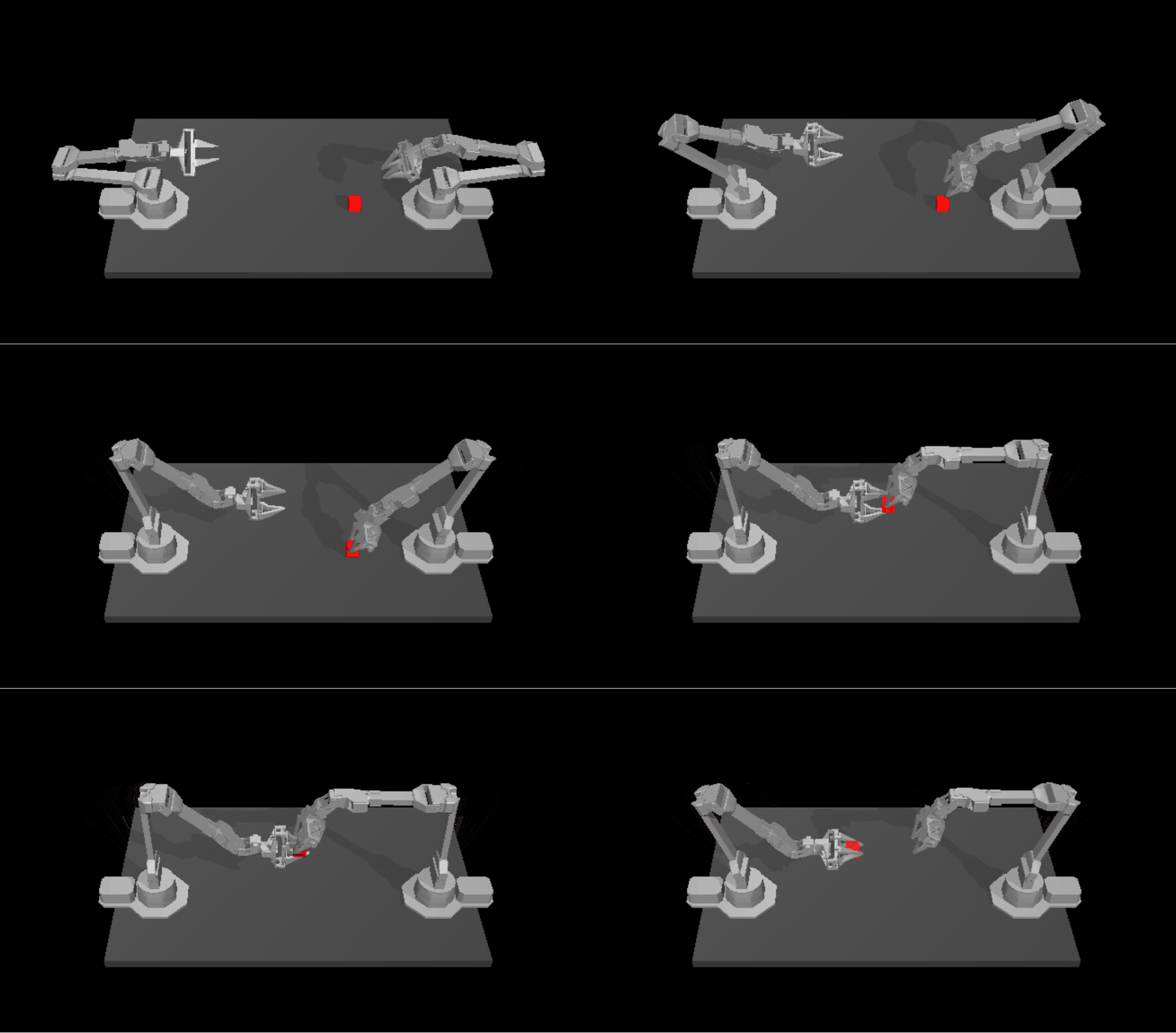
After ACT running successfully, the Mujoco UI appears as follows:
Non-ROS MPC Module (optional)#
Patch 002 adds ocs2_mobile_manipulator_nonros, a ROS-free variant of the dual-arm
ALOHA demo. Instead of ROS topics, the MPC/MRT nodes, the MuJoCo viewer and the test
publisher exchange data over the ECI shared-memory transport: the nodes publish each
arm’s joint state, the publisher supplies gripper targets, and the viewer renders them.
This lets you run and profile the MPC pipeline without a ROS graph.
Dependencies#
# MuJoCo and hardened XML parsing for Python
pip install mujoco==3.10.0 "defusedxml>=0.7.1"

# shared-memory transport (libshmringbuf.so must be on LD_LIBRARY_PATH,
# e.g. /usr/lib/x86_64-linux-gnu)
sudo apt install -y libshmringbuf-dev plcopen-databus-dev
Build#
source /opt/ros/jazzy/setup.bash
cd ~/ocs2_ws
colcon build --packages-select ocs2_mobile_manipulator_nonros
source install/setup.bash
Run#
The three helpers live under the patched OCS2 source tree. In the mpc-demo layout the submodule is nested one level deep, so set a helper variable once:
export OCS2_SRC=~/ocs2_ws/src/ocs2/ocs2/ocs2_robotic_examples/ocs2_mobile_manipulator_nonros
Startup order does not matter — each shared-memory block is opened lazily, so the viewer can start before the nodes.
Launch both MPC/MRT arm nodes:
cd "$OCS2_SRC/scripts"
./run_aloha_dual_arm.sh
Resources are auto-discovered via
AMENT_PREFIX_PATH; override withNODE_BIN/TASK_FILE/URDF_FILE/LIB_FOLDER.Start the MuJoCo viewer (one window shows both
vx300sarms and the tabletop box, with full physics so the grippers can grasp and lift the box):cd "$OCS2_SRC/scripts" python3 mujoco_viewer.py "$OCS2_SRC/aloha_dual_arm_viewer.xml"
Arm-joint prefixes default to
vx300s_left/vx300s_right(override with--left-prefix/--right-prefix); adjust refresh rate with--rate.Stream an ACT target trajectory (14 values: both arms + both grippers) to the nodes and viewer:
TRAJ="$OCS2_SRC/test/target_trajectories_with_grippers.txt"
BIN=~/ocs2_ws/install/ocs2_mobile_manipulator_nonros/lib/ocs2_mobile_manipulator_nonros/aloha_act_publisher
"$BIN" --traj "$TRAJ"          # play once
"$BIN" --traj "$TRAJ" --loop   # loop forever
The trajectory path must be absolute — otherwise the publisher falls back to a single static pose. Confirm loading with the log line
[act_publisher] playing ... trajectory points. With--loop, the viewer resets the box to its keyframe pose at the start of each pass. Other options:--seconds Nstatic run duration,--left/--rightarm prefixes, and positional numbers or--qposto force a single static target.
Note
The shared-memory transport currently unlinks its segment on close without distinguishing creator from opener, so restarting individual processes mid-session may misbehave. Restart the whole set if you hit shared-memory errors.